If you have played any competitive matchmaking since Counter-Strike 2 launched, you have likely fallen victim to the infamous “Ferrari peek.” You hold an angle, an enemy swings out at the speed of light, and before their player model even appears to stop moving, you are dead.
The community has been begging for a CS2 peeker’s advantage fix, and Valve has finally delivered.
Dropped into the opt-in beta branch in early April 2026, the CS2 AnimGraph 2 (AG2) update is a total ground-up rebuild of how the Source 2 engine handles player movement and animations. It is not just a visual coat of paint; it is a fundamental shift in how the game feels, reads, and performs.
Here is everything you need to know about the Counter-Strike 2 animation update and how it is permanently changing the competitive meta.
The Death of the “Floaty” Peek
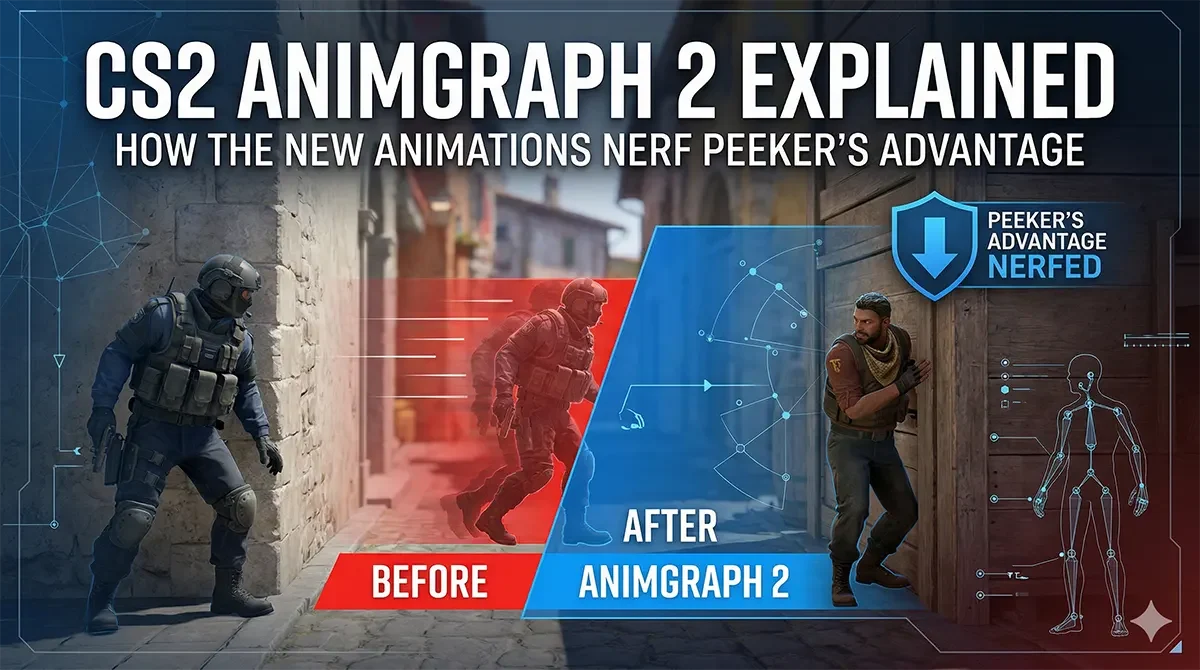
Under the legacy animation system, third-person player models often looked like they were ice skating. When a player hit the opposite movement key to stop and shoot (counter-strafing), their legs would awkwardly slide into place, creating a lethal disconnect between what the server registered and what you saw on your screen.
The new CS2 counter-strafe animation eliminates this ambiguity. All third-person animations have been painstakingly re-authored. Now, when a player counter-strafes, their model actively leans into the momentum and physically braces their legs to stop.
This creates a massive, readable “tell.” You no longer have to guess whether an enemy is full-running with an SMG or has stopped to fire an accurate AK-47 burst. By making movement incredibly readable, this CS2 new movement update indirectly nerfs peeker’s advantage, rewarding players who hold angles with better visual information.
Performance Gains and Crisper Hit Registration
While the visual changes are stealing the spotlight, the under-the-hood engine tweaks are arguably more important.
The old animation system was surprisingly heavy on both your hardware and your network. AG2 significantly optimizes how animation data is calculated and transmitted. Because the animation data packets sent between your client and the server are much smaller, the game suffers from less packet loss.
The result is the massive CS2 performance boost that April 2026 players have been waiting for. Mid-tier hardware is seeing higher average frames, and because the server isn’t choking on bloated animation data, hit registration feels undeniably crisper.
Visual Polish and Slope Physics
Valve also used the CS2 AG2 beta to clean up several lingering inconsistencies.
First, third-person animations now perfectly mirror first-person actions. If you are a fan of inspecting your gear, you will be happy to know that CS2 third-person knife animations, weapon swaps, and in-air crouch transitions have been fully smoothed out to match what you see on your own screen.
However, there is a catch for utility nerds: slope physics have been refactored. The engine’s logic for calculating a player’s height on sloped surfaces and ramps is now universally consistent, regardless of the angle you approach it from. While this is fantastic for movement consistency, it does mean that several pixel-perfect smoke lineups that relied on the old, buggy ramp heights will need to be relearned.
Quick FAQ: CS2 AnimGraph 2
Does AnimGraph 2 improve FPS in CS2?
Yes. By reducing the CPU load required to render complex third-person animations, many players, especially those on mid-tier hardware, are reporting higher and more stable frame rates.
How to opt into CS2 animgraph_2_beta? / How to play CS2 animgraph beta?
To test the new animations before they hit the live servers, open your Steam library, right-click Counter-Strike 2, and select Properties. Navigate to the Game Versions & Betas tab, and select animgraph_2_beta (scroll to the bottom) from the list. The game will download the update automatically.
Did the CS2 update change grenade lineups?
Yes, but only specific ones. Because the update refactored how player height is calculated on sloped surfaces and ramps, jump-throw lineups that require you to stand on uneven ground may need to be adjusted.
Why do CS2 models lean when counter-strafing?
The new leaning and leg-bracing animations are designed to give holding players a clear, immediate visual cue that an enemy has stopped moving and achieved maximum weapon accuracy.