Siemens NX is an absolute powerhouse for product engineering, manufacturing, and digital twin simulations. But creating the CAD model is only half the battle. When it comes time to present that design to stakeholders, you need a photorealistic rendering. That is where Ray Traced Studio comes in.
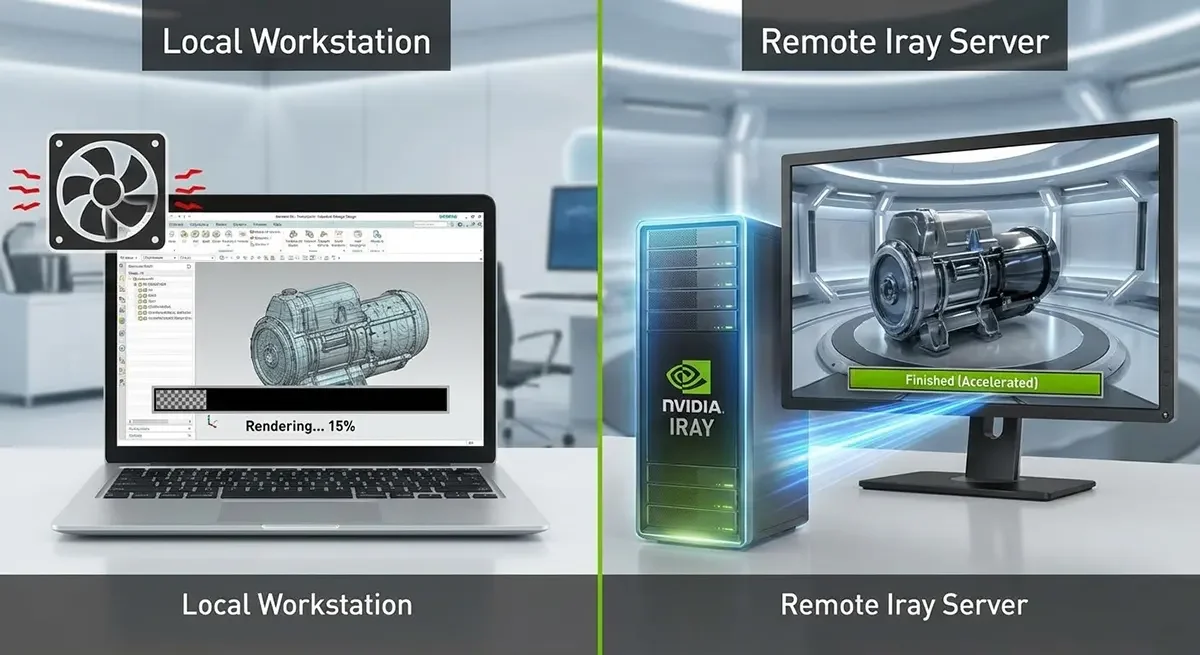
The rendering engine in Siemens NX is based on Lightworks Iray+, which uses NVIDIA Iray progressive, real-time ray tracing. This allows you to achieve physically accurate lighting, reflections, and material refractions right out of the box. The results are breathtaking, but the hardware requirements are brutal. Hitting the render button on a standard engineering laptop often results in thermal throttling, system lockups, and render times measured in hours.
Instead of spending thousands of dollars constantly upgrading local hardware, smart engineering teams are moving their rendering workloads to the cloud. Here is how accelerating Siemens NX with a remote NVIDIA Iray Render Server changes the game.
The Bottleneck: Local Hardware vs. Path Tracing
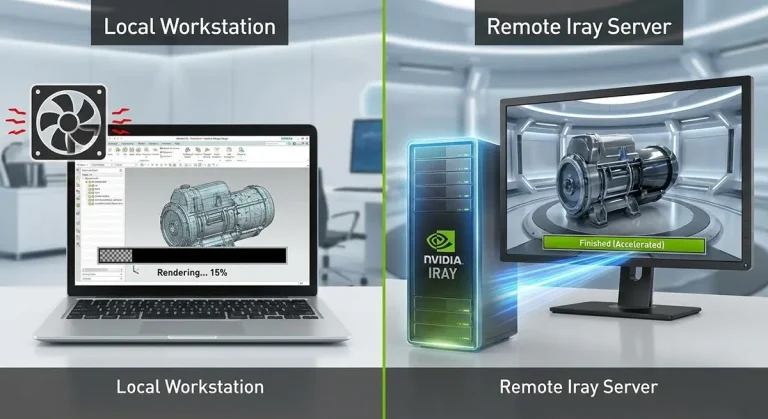
Ray Traced Studio relies heavily on NVIDIA’s RT cores and CUDA cores. When you initiate a render, each iteration updates the image, progressively clearing up the preliminary “noise”. This process demands massive computing power, and during calculations, your local machine’s CPU and GPU are heavily taxed.
If your engineers are working on standard corporate laptops or aging desktop hardware, they are bottlenecking their own workflow:
- Thermal Throttling: Laptops cannot dissipate the heat generated by a sustained GPU load.
- Lost Productivity: When a local machine is locked up rendering a complex assembly, every other application on your workstation is affected, severely limiting multitasking.
- VRAM Limits: Complex models with high-resolution textures require massive amounts of Video RAM.
The Solution: The NVIDIA Iray Render Server
The modern solution is not to buy a heavier, louder local PC. It is to offload the heavy rendering calculations directly to a dedicated NVIDIA Iray Server.
Siemens NX has native support for remote rendering using the Iray Server. Instead of relying on a full remote desktop environment, the Iray Server acts as a backend engine that simply crunches the math for you.
Here is why utilizing an Iray Render Server is the ultimate setup for Siemens NX:
1. Uninterrupted Multitasking
When we use remote rendering for ray-traced rendering in NX, the calculations are done entirely by the remote server. This means your local machine remains completely free. An engineer can place the Ray Traced Studio window on a second monitor and continue drafting, answering emails, or joining video calls without their laptop fans sounding like a jet engine.
2. Massive Speed Increases
By connecting to a server equipped with top-tier, dedicated GPUs, the rendering iterations are processed incredibly fast. What used to require hours of heavy computing can often be resolved in a fraction of the time, allowing for rapid visualization and validation.
3. Cross-Software Compatibility
While this setup is perfect for Siemens NX, the Iray Server is highly versatile. It supports a wide range of Iray client applications. If your studio also utilizes tools like Rhinoceros, Cinema 4D, or DAZ Studio, those programs can leverage the same remote render server to accelerate their workflows.
Upgrade Your Workflow with East Gate Hosting
You do not need to build an expensive, noisy server room in your office to get tier-one rendering performance.
At East Gate Hosting, we offer dedicated NVIDIA Iray render servers tailored for high-end visualization. Whether you need an Enthusiast tier for occasional renders or an Exclusive multi-GPU setup for massive engineering projects, our servers integrate seamlessly with Siemens NX, Rhinoceros, and Cinema 4D. Let your local machine handle the modeling, and let our servers handle the heavy lifting.