You’re paying for a “powerful” server. So why does it feel like you’re running on a potato?
Your Minecraft server is ticking at 18 TPS during peak hours. Your Arma 3 mission stutters every time the ALiVE module syncs. Your DayZ server freezes for three seconds every time loot respawns. You’ve checked your RAM. You’ve optimised your mods. You’ve done everything right, and it still feels like you’re fighting the hardware.
You probably are. Just not your hardware.
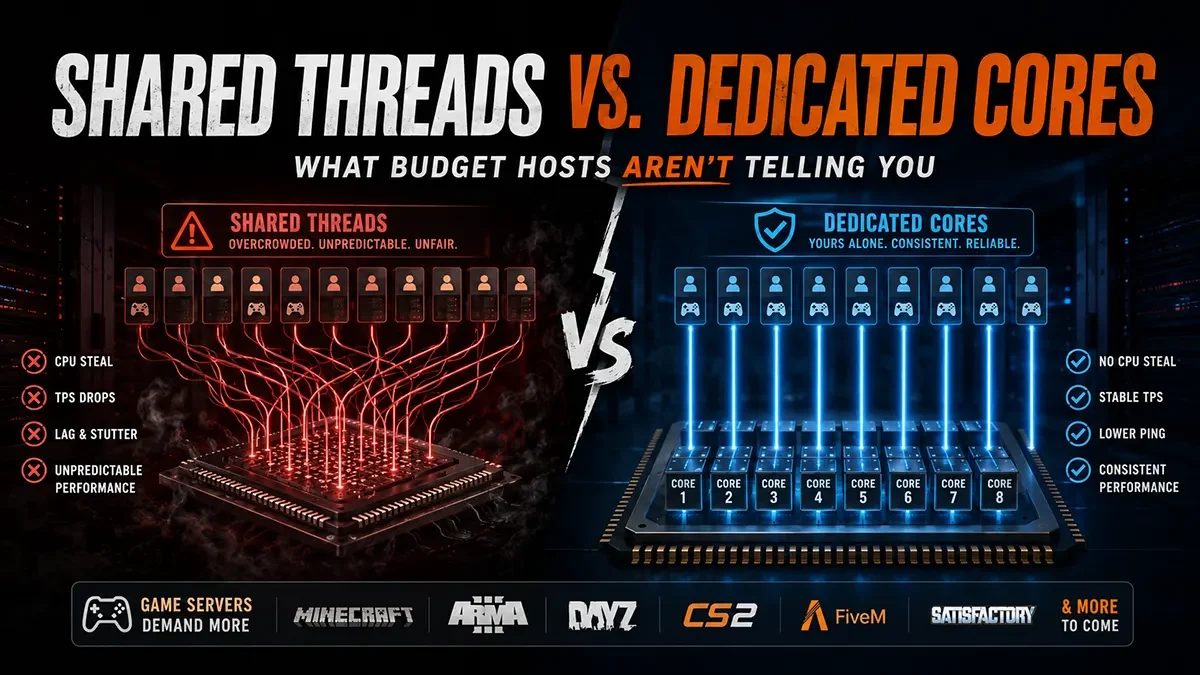
The dirty secret buried in most budget hosting spec sheets is a single word that changes everything: shared. As in, shared CPU threads. As in, your “8-core server” is actually eight logical threads carved out of a physical processor that’s simultaneously running forty other customers’ servers. This post breaks down exactly what that means, why it matters for your game, and what to look for when a host actually gives you what they’re advertising.
The CPU spec sheet lie
When a host advertises “8 vCPUs” or “8 cores,” they are almost never talking about eight physical cores reserved exclusively for you. In the vast majority of budget and mid-tier hosting environments, what you’re getting is virtualised CPU time, a slice of a larger shared processor pool.
Here’s what’s actually happening under the hood.
A modern server CPU (say, a dual-socket AMD EPYC 7763) has 128 physical cores and 256 logical threads across both sockets. A host installs that into a rack, fires up a hypervisor (usually KVM or VMware), and begins carving it up. If they’re selling game server packages at 8 vCPUs each, a single physical server can theoretically be sold to 32 different customers simultaneously.
Your 8 vCPUs aren’t eight dedicated cores. They’re eight time-share slots on a processor that’s also running everyone else’s game servers, control panels, and background processes.
Under light load, you might not notice. But the moment that machine gets busy – Friday night, peak hours, the neighbour tenant’s server spiking under a player surge – your processes are competing for CPU cycles they’re not guaranteed to get. The scheduler has to make difficult choices. Your server tick loses the coin flip.
This is called CPU steal, the percentage of time your virtual machine is waiting for CPU cycles that have been promised to it but haven’t been delivered. You’ll rarely see this figure on your hosting dashboard. Budget hosts don’t advertise it.
Why game servers are the worst possible workload for shared hardware
General web hosting absorbs CPU steal relatively gracefully. A PHP application waiting an extra 10ms to serve a page is annoying, but users won’t notice. A game server is a completely different animal.
Tick rate is unforgiving. A Minecraft Java server runs its main game loop at 20 ticks per second. Each tick has exactly 50 milliseconds to complete. If your vCPU doesn’t get its scheduled time, even briefly, that tick runs long, TPS drops, and every player feels it as rubber-banding, delayed block placement, or mobs teleporting. There is no buffer. There is no catch-up mechanism that players won’t notice.
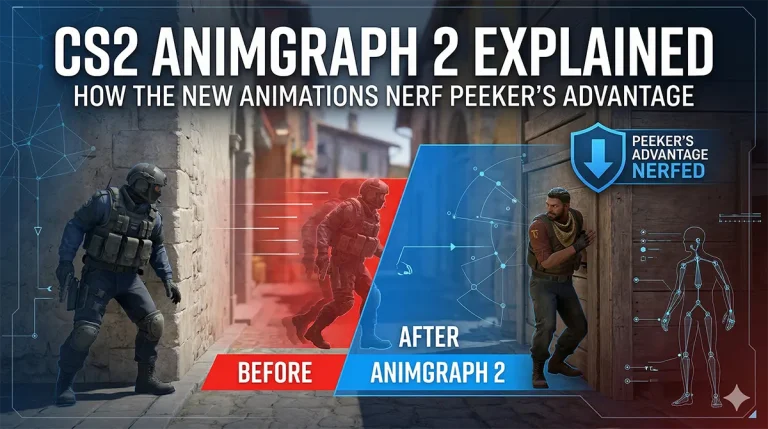
CS2 and Source engine servers are single-threaded nightmares. Counter-Strike 2, CSS, and CS 1.6 servers run their game logic almost entirely on a single CPU thread. Raw single-core clock speed and consistent, uninterrupted access to that thread is everything. A shared environment where your thread is constantly context-switching with other tenants’ processes is arguably the worst possible architecture for a Source engine server. That peeker’s advantage problem you’ve been blaming on the game? Your host’s overcommitted hardware is a significant contributor.
DayZ and Arma depend on unthrottled CPU bursts. Both engines are notorious for periodic CPU spikes – DayZ during loot respawns, Arma 3 during AI pathfinding and the ALiVE database sync. In a dedicated core environment, those spikes are absorbed cleanly. In a shared thread environment, the hypervisor sees your sudden demand, finds the pool contested, and throttles you. That freeze you’re seeing isn’t the mod. It’s the host.
Satisfactory‘s factory simulation is a sustained CPU hammer. Unlike most games that spike occasionally, a large Satisfactory factory puts constant, sustained load on the CPU simulation thread. Shared environments expose CPU steal most visibly under sustained load, because you’re not competing for a brief burst but continuously for hours.
FiveM, RageMP, and alt:V scale with player count, and so does CPU demand. GTA multiplayer frameworks are deceptively light at low player counts. Add 50+ concurrent players with custom scripts, vehicle physics, and resource streams, and you’re suddenly one of the most CPU-hungry tenants on the physical host. Shared environments weren’t designed for that kind of workload scaling.
Hytale (when it launches) will raise the bar again. What’s publicly known about Hytale’s architecture points to a significantly more simulation-heavy server model than Minecraft. When that day comes, CPU allocation will matter more than ever, and hosts that have been getting away with overcommitted hardware on Minecraft servers will struggle badly.
What “dedicated cores” actually means, and how to verify it
A legitimate dedicated core allocation means your vCPUs are pinned to specific physical cores on the host machine that are not shared with other tenants. The host is deliberately leaving those cores idle if your workload doesn’t need them, rather than selling that capacity to someone else.
This costs the host more money. Which is exactly why budget providers don’t do it, and why you’ll often find it buried in premium tier specs without much explanation.
Here’s how to verify what you’re actually getting before you commit:
Ask directly. Email the host and ask: “Are my vCPUs pinned to dedicated physical cores, or are they shared threads in a virtualised pool?” The answer, and how confidently they give it, is extremely revealing. A host with true dedicated cores will answer immediately and proudly. A host running an overcommitted shared pool will hedge, redirect, or simply not know.
Check for CPU steal metrics. If you already have a server, SSH in and run top or htop. Look for the st figure in the CPU breakdown, that’s steal time. Anything above 1-2% consistently means you’re on overcommitted hardware. Anything above 5% is actively impacting your server performance right now.
Look for “CPU pinning” or “CPU isolation” in the spec language. These are the technical terms that indicate real dedicated allocation. “Guaranteed CPU” is a softer claim that can still mean burst credits rather than true isolation.
Test under load, not idle. Hosting benchmarks performed on an empty server are meaningless on shared infrastructure. The only honest test is performance under full player load during peak hours. If you’re evaluating a new host, run your server at capacity on a Friday night before you commit.
NVMe storage isn’t a substitute
A common budget host play: lead with NVMe SSDs in the marketing and bury the CPU architecture details. Fast storage is genuinely valuable – it cuts world load times, speeds up DayZ database writes, reduces Arma mission file streaming overhead – but it cannot compensate for CPU steal.
Storage speed and CPU allocation solve completely different problems. A game server with NVMe storage and shared CPU threads will load faster and then stutter constantly under load. Hosts that emphasise storage specs while saying nothing about CPU architecture are showing you exactly where their priorities lie.
You need both. But CPU allocation is the one that determines whether your server actually plays well.
Why this matters more now than it did two years ago
The game server hosting market has compressed dramatically. Prices have dropped, competition has increased, and hosts are under constant margin pressure. The easiest way to cut costs without changing the spec sheet is to increase the overcommitment ratio, packing more tenants onto the same physical CPU.
If you signed up for a server two or three years ago and it feels slower despite nothing changing on your end, it probably is. Not because the hardware degraded, but because the host has filled the box up since then.
Dedicated cores are increasingly the line between infrastructure built for gaming workloads and infrastructure built for general VPS customers who won’t notice the difference.
What each game actually needs
CS2, CS:S, and CS 1.6 require single-core performance and dedicated thread access above all else. Look for hosts that specify clock speed, not just core count.
Minecraft Java needs dedicated cores plus high clock speed. Java’s garbage collector already adds overhead; CPU steal on top of it is a compounding problem.
Minecraft Bedrock is more forgiving than Java on thread scheduling, but dedicated cores still matter significantly at higher player counts.
DayZ requires dedicated cores and unthrottled burst performance. Loot respawn spikes are non-negotiable; they need headroom.
Arma 3 and Arma Reforger need dedicated cores for ALiVE-heavy or large-scale missions. Arma Reforger’s more modern engine handles threading better than Arma 3, but still demands uncontested access during simulation-heavy scenarios.
Satisfactory demands sustained dedicated CPU access. It’s the most reliable test for overcommitted infrastructure in your entire game library.
FiveM, RageMP, and alt:V need dedicated cores above 30-40 concurrent players. Below that you may get away with shared threads, but you’ll hit a hard ceiling the moment your server gets popular.
UT99 runs a surprisingly CPU-sensitive Unreal Engine 1 server on a per-player basis for its age. Low overhead overall, but single-thread performance still dictates smoothness.
Our game servers run on dedicated core allocation across all plans, with your CPU threads pinned, not pooled. Combined with NVMe SSD storage and European and global routing, you get hardware that performs the way the spec sheet says it will: at peak hours, under full load, on a full server. Not just in a synthetic benchmark at 3am on an empty box.
If you’ve been fighting your server and can’t find the problem in your config, the problem is probably your host. Check our game server hosting plans and see what dedicated infrastructure actually feels like.
Quick FAQ
What is CPU steal in game server hosting? CPU steal is the percentage of time your virtual machine is waiting for CPU cycles that have been allocated to it but aren’t currently available, because the physical CPU is busy serving other tenants on the same hardware. It’s a direct measure of how overcommitted your host’s infrastructure is, and it directly causes TPS drops, lag spikes, and stuttering that you cannot fix from inside the server.
Why does my Minecraft server TPS drop even though I have plenty of RAM? Low TPS is almost always a CPU problem, not a RAM problem. If your server has adequate memory but still drops below 20 TPS under normal player counts, you’re almost certainly experiencing CPU steal on shared hosting hardware. The main server thread isn’t getting consistent, uninterrupted CPU time, and no amount of RAM or plugin optimisation will fix that.
What’s the difference between a vCPU and a dedicated core? A vCPU is a logical allocation of CPU time in a shared pool, where multiple virtual machines compete for the same physical cores. A dedicated core is a physical CPU core (or a hyperthreaded pair) that is pinned exclusively to your workload. The host leaves it idle when you don’t need it, rather than selling that idle capacity to someone else.
Do dedicated cores cost more? Yes, because the host is genuinely reserving physical hardware for you rather than overselling capacity across many tenants. The performance difference for game servers is significant enough that saving a few euros per month on a shared-thread plan and then suffering with 18 TPS and 200ms lag spikes is a false economy.
Why does my FiveM server run fine with 20 players but fall apart with 60? FiveM’s CPU load scales non-linearly with player count. At 20 players your shared allocation may be just enough. At 60 players, the demand spikes and you’re competing much harder for contested threads on overcommitted hardware. Dedicated core infrastructure handles that scaling gracefully; shared thread infrastructure hits a wall.
How do I check if my current server is suffering from CPU steal? SSH into your server and run top. In the CPU line at the top, look for st, that’s steal time expressed as a percentage. Check it during peak hours while the server is under normal player load. Anything consistently above 1-2% is a red flag. Anything above 5% means you’re being meaningfully impacted right now.