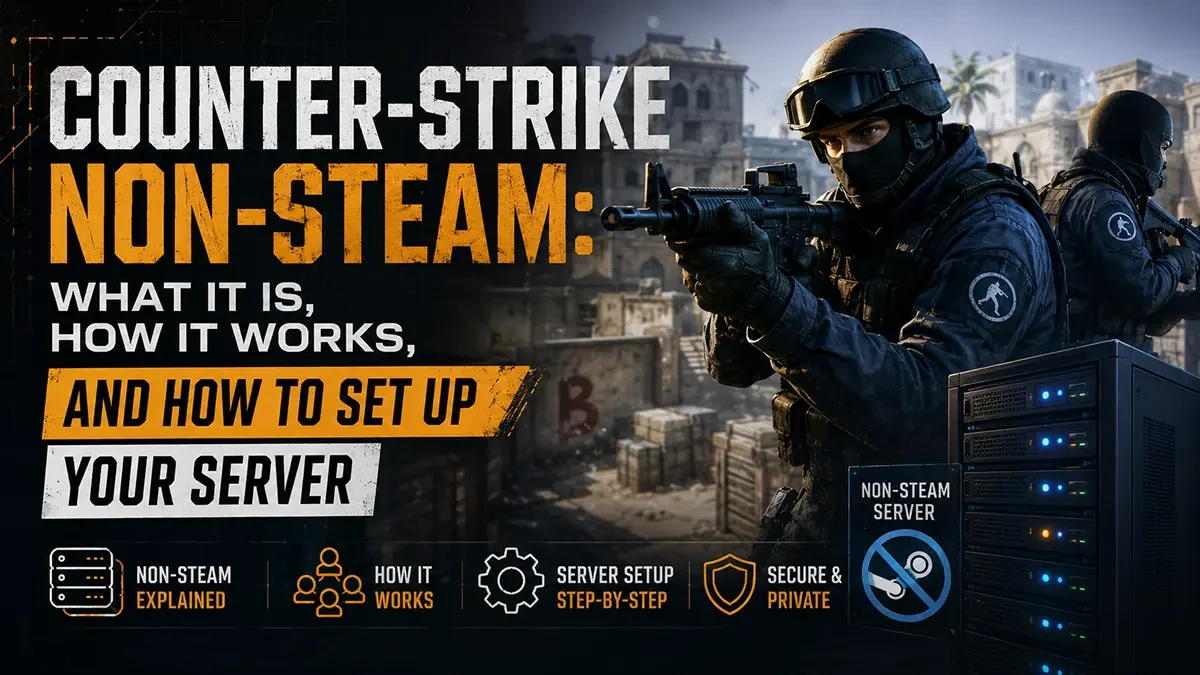
The original Counter-Strike ecosystem never really died. It just moved off Steam.
If you’ve ever tried to find a populated CS 1.6 or CSS server late at night, you’ve almost certainly connected to a non-steam server without knowing it. Non-steam Counter-Strike has kept entire regional gaming communities alive for decades, particularly across Eastern Europe, South America, and Southeast Asia, where the barrier to owning a legitimate Steam copy was historically high. Today, those communities are still active, still competitive, and still running on dedicated servers.
This guide covers what non-steam Counter-Strike actually is, which versions support it, how to set up a non-steam compatible server, and how to connect as a player.
A quick note on legitimacy: Non-steam Counter-Strike clients are unofficial, unauthorised versions of Valve’s games that do not require a Steam account or purchased copy. Running or connecting to non-steam servers is not supported by Valve. This guide is provided for informational purposes, focused on the technical server setup for those who choose to operate within these communities.
What is non-steam Counter-Strike?
Non-steam Counter-Strike refers to modified game clients and server configurations that bypass Steam’s authentication system, allowing players to connect and play without a legitimate Steam account or purchased copy of the game. These are sometimes called “cracked” clients, though the communities themselves simply refer to the ecosystem as “non-steam.”
The non-steam ecosystem emerged in the early 2000s alongside the original Counter-Strike and flourished through the CS 1.6 era, when the game’s popularity vastly outpaced the ability or willingness of many players globally to pay for it. Rather than fading out, these communities built parallel infrastructure, including their own master server lists, anti-cheat systems, and community hubs, that operate independently of Valve’s official network.
The key technical mechanism is SteamID spoofing, where non-steam clients present a fake or anonymous SteamID to servers that have been configured to accept them. On the server side, a plugin or server binary modification disables Steam authentication checks, allowing non-steam clients to connect alongside or instead of legitimate Steam clients.
Which Counter-Strike versions support non-steam servers?
Non-steam support varies significantly by game version, primarily due to how tightly each game is integrated with Steam’s authentication backend.
Counter-Strike 1.6 is the heartland of non-steam gaming. CS 1.6 runs on the GoldSrc engine, which has a comparatively loose authentication model. The most widely used solution is a modified hlds.exe (Half-Life Dedicated Server) binary paired with the ReHLDS project, a reverse-engineered, open-source reimplementation of the HLDS engine. ReHLDS natively supports non-steam clients through its configuration and remains actively maintained by the community. CS 1.6 non-steam servers are the most stable, most populated, and most straightforward to configure.
Counter-Strike: Source (CSS) supports non-steam servers through the Metamod:Source and SourceMod plugin ecosystem. The primary tool is the SteamTools plugin for SourceMod, which disables Steam authentication at the server level, allowing non-steam clients running modified CSS binaries to connect. CSS non-steam communities are smaller than CS 1.6 but still active, particularly in regions where the GoldSrc-to-Source transition was followed closely.
Counter-Strike: Global Offensive had limited non-steam support in its earlier versions through similar SteamTools approaches, but Valve’s progressive tightening of Steam authentication in CS:GO, culminating in the transition to CS2, has made reliable non-steam support extremely difficult to maintain. CS:GO non-steam servers exist but are not practically viable for a stable hosting environment and are not covered in detail here.
CS2 does not have a functioning non-steam ecosystem. Valve’s authentication architecture in CS2 is significantly more robust than previous versions, and no reliable non-steam client or server bypass currently exists.
In summary, the two versions worth covering for non-steam server hosting are CS 1.6 and CSS.
Setting up a non-steam CS 1.6 server
What you need
A dedicated or virtual server running Windows or Linux, a clean CS 1.6 HLDS installation, the ReHLDS binaries, and AMXModX installed for server administration.
Step 1: Install ReHLDS
ReHLDS replaces the standard hlds.exe or hlds_run binary with a community-maintained reimplementation that offers better stability, more configuration options, and built-in non-steam support.
Download the latest ReHLDS release from the official GitHub repository and extract it into your HLDS installation directory, replacing the original engine files. ReHLDS is a drop-in replacement, so your existing server configuration, maps, and plugins remain intact.
Step 2: Configure non-steam access
In your rehlds configuration, locate the sv_lan and Steam validation settings. The key parameter is:
sv_lan 0Setting sv_lan 0 keeps the server publicly accessible. ReHLDS handles non-steam client authentication passively when configured correctly, accepting clients that present non-steam SteamIDs without rejecting the connection.
For additional control over which clients can connect, ReHLDS supports IP-based filtering and fake SteamID management through its extended configuration options.
Step 3: Install AMXModX
AMXModX is the standard plugin platform for CS 1.6 servers and is required for most administration and anti-cheat tools. Download AMXModX from amxmodx.org and install it into your addons directory. With AMXModX running, you can add the Reunion plugin, which is specifically designed to handle non-steam client management on ReHLDS servers, giving you control over how non-steam SteamIDs are assigned and logged.
Step 4: Configure Reunion (recommended)
The Reunion plugin for AMXModX is the standard solution for non-steam client management on CS 1.6 servers. It handles SteamID assignment for non-steam players, prevents SteamID collisions (where two non-steam players could otherwise appear with the same ID), and gives you logging and access control over non-steam connections.
Install Reunion by placing the compiled plugin in your addons/amxmodx/plugins/ directory and adding it to plugins.ini. Configure reunion.cfg to set your preferred SteamID assignment method and whether you want to allow steam and non-steam players on the same server simultaneously.
Step 5: Register with a non-steam master server
Valve’s master server list will not list non-steam servers. To appear in community server browsers, submit your server to community-maintained master server lists. The most widely used for CS 1.6 non-steam is maintained by the UAIO (United Against Illegal Operations) community network and various regional hubs. Adding your server’s IP to these lists ensures non-steam players using patched clients can find you through their in-game browser.
Setting up a non-steam CSS server
What you need
A dedicated or virtual server, a CSS server installation via SteamCMD (the server files themselves are free to download even without owning CSS), Metamod:Source, SourceMod, and the SteamTools extension.
Step 1: Install the CSS dedicated server via SteamCMD
bash
./steamcmd.sh +login anonymous +force_install_dir ./css-server +app_update 232330 validate +quitApp ID 232330 is the CSS dedicated server, available anonymously without a Steam account or CSS purchase.
Step 2: Install Metamod:Source and SourceMod
Metamod:Source is the plugin loader that sits between the Source engine and SourceMod. Download both from their respective official sites (sourcemm.net and sourcemod.net) and install them into your cstrike/addons/ directory. Confirm Metamod:Source is loading correctly by checking your server console for the Metamod version string on startup.
Step 3: Install the SteamTools extension
SteamTools is a SourceMod extension that exposes Steam authentication controls to the server. Download the SteamTools extension binary compatible with your SourceMod version and place it in cstrike/addons/sourcemod/extensions/. Add it to your extensions load list.
Once loaded, SteamTools allows you to disable Steam authentication via a SourceMod plugin or direct console command:
sm_steamtools_disable_auth 1With authentication disabled, the server will accept connections from non-steam CSS clients without rejecting them at the handshake stage.
Step 4: Non-steam client compatibility
Non-steam CSS clients are pre-patched distributions of the CSS client with the Steam authentication requirement removed. Players connecting to your server need to be running one of these clients. The server itself does not need to distribute or endorse any particular client, it simply accepts the connection once authentication checks are disabled.
For mixed servers (steam and non-steam players together), SteamTools provides controls to manage how non-steam SteamIDs are handled to prevent conflicts with legitimate Steam accounts.
Connecting as a player
For players looking to join non-steam servers rather than host them, the process is straightforward on both versions.
CS 1.6: Download a non-steam CS 1.6 client from one of the established community distribution points. These are pre-configured to connect to non-steam master servers and include patched binaries. Launch the game, open the server browser, and non-steam servers will appear alongside any remaining official servers. You can also connect directly via IP through the console: connect [server IP]:[port].
CSS: Non-steam CSS clients are distributed similarly. Once installed, direct IP connection via the console (connect [IP]:27015) is the most reliable method, as non-steam CSS servers do not appear in Valve’s official server browser. Community server lists and Discord servers for regional CSS communities are the best sources for active server IPs.
What to look for in a non-steam compatible host
Not every game server host will support non-steam configurations. The key requirements are:
Root or administrative access to server files. Non-steam setup requires replacing core binaries (ReHLDS) or installing extensions (SteamTools) that a locked shared hosting panel may not permit. You need the ability to upload and execute custom files.
Custom startup parameters. ReHLDS in particular may require modified launch arguments that differ from a standard CS 1.6 installation. Your host needs to support custom startup command configuration.
No forced updates or file validation. Some hosts automatically validate or restore server files to a “clean” state, which would overwrite ReHLDS binaries or remove custom plugins. Confirm your host allows persistent custom file modifications.
Firewall and port flexibility. Non-steam master server communication may use ports beyond the standard CS game ports. Confirm your host allows outbound UDP traffic on the ports required by the master server list you’re registering with.
Our CS 1.6 server hosting and CSS server hosting plans provide full file access, custom startup parameter support, and persistent mod installations, giving you everything you need to run a stable non-steam server without fighting your control panel. If you have specific configuration requirements for your non-steam setup, our support team can help you get ReHLDS running correctly from the start.
Quick FAQ
Is non-steam Counter-Strike legal? Non-steam clients are unofficial, unauthorised versions of Valve’s software. Running or using them is not sanctioned by Valve and may violate their terms of service. Whether it is “illegal” depends on your jurisdiction and the specific circumstances. This guide covers the technical setup only and does not constitute legal advice.
Can steam and non-steam players play on the same CS 1.6 server? Yes. With ReHLDS and the Reunion plugin configured correctly, legitimate Steam clients and non-steam clients can connect to the same server simultaneously. Reunion handles SteamID management to prevent conflicts between the two player types.
Why doesn’t CS2 support non-steam servers? Valve significantly tightened Steam authentication with CS2’s architecture. Unlike the GoldSrc and early Source engine, which had community-accessible authentication bypass points, CS2’s backend integration makes reliable non-steam support currently infeasible.
What anti-cheat options are available for non-steam servers? Non-steam servers cannot use VAC (Valve Anti-Cheat), as VAC requires Steam authentication. The primary alternatives are CSBANS and CSBanManager for CS 1.6, and SourceBans for CSS, which are community-run ban management systems. For active cheat detection, AMXModX plugins such as CSmatch and third-party anti-cheat plugins fill the gap on CS 1.6 servers.
Do non-steam CS 1.6 servers show up in the standard server browser? No. Valve’s master server list does not include non-steam servers. Players need to connect via direct IP or use a community server browser that pulls from non-steam master server lists. Registering your server with community master servers is an important step in building a player base.
Can I run a non-steam server on a shared hosting plan? It depends on the host. Non-steam setup requires file replacement (ReHLDS) or extension installation (SteamTools), which many locked shared hosting panels do not permit. A plan with full file access and custom startup parameter support is essential. EastGate Hosting supports ReHLDS on its CS 1.6 server hosting plans, so you can run a non-steam server without any restrictions on custom binaries or mod installations.